
An OpusClip alternative for stream clippers
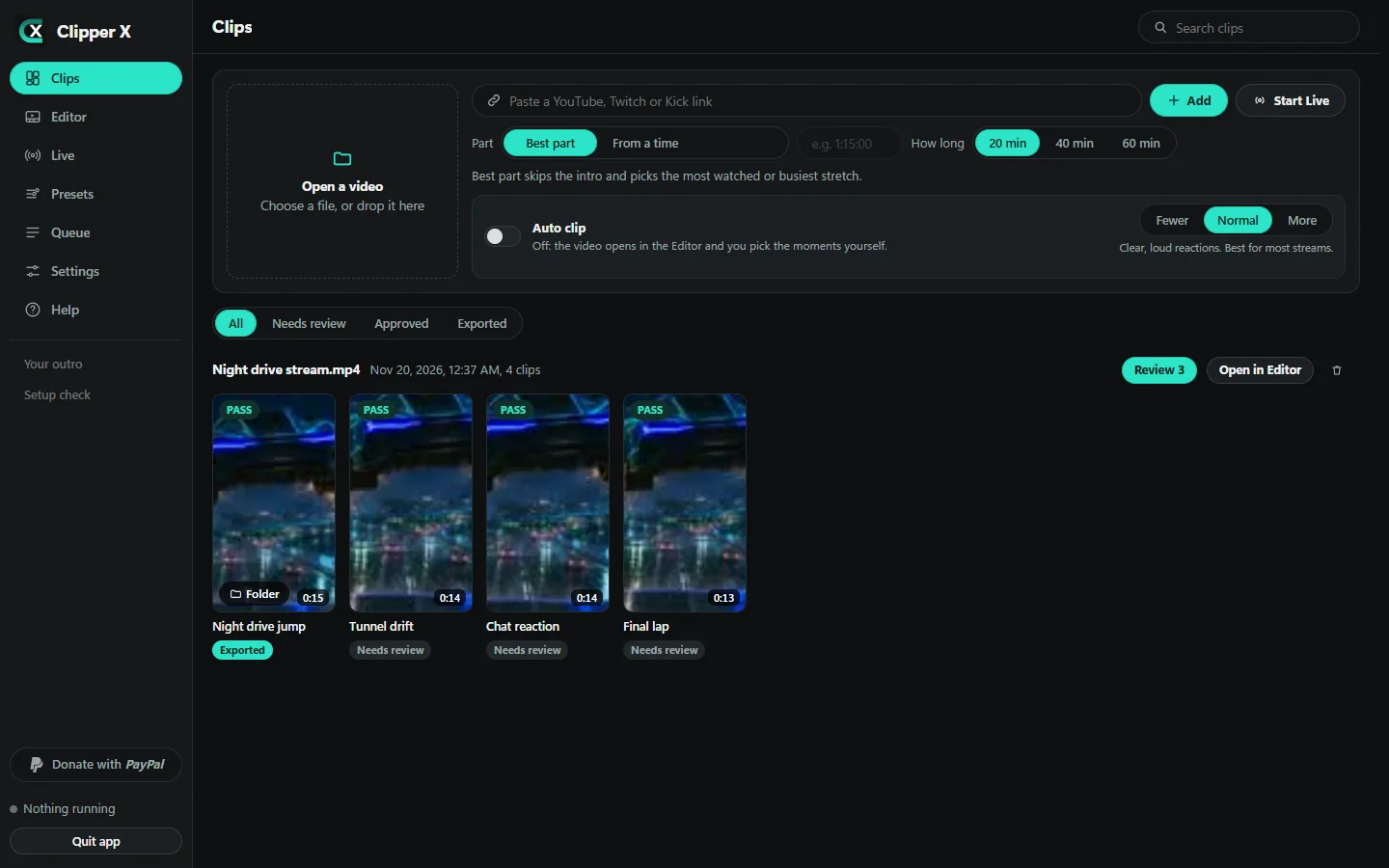
If you clip gaming or IRL streams, Clipper X is an OpusClip alternative that runs on your Windows PC instead of in the cloud. It opens Twitch, Kick and YouTube links or video files, frames the face cam above the gameplay, makes word-by-word captions on your PC, and can clip streams live. It is free during early access.
That is the short answer, but it is not the whole story. OpusClip is a polished web app and it beats Clipper X at several things. This page puts the two side by side, says plainly where each one wins, and links to the pages we checked so you can confirm the numbers yourself. We make Clipper X, so read it with that in mind.
OpusClip and Clipper X side by side
OpusClip details come from its own pricing and help pages on 22 November 2026. Clipper X details come from this website. Plans change, so check the linked pages before you decide.
| OpusClip | Clipper X | |
|---|---|---|
| Where it runs | In your web browser (the app lives at clip.opus.pro), so it works on any computer with a browser | A desktop app for Windows 10 and 11 (64-bit). No Mac or Linux version |
| Where the video work happens | On OpusClip's servers, after you upload or import the video | On your own PC. The site says your videos stay on your PC |
| Free option | Free plan: 60 processing minutes per month, clips carry an OpusClip logo watermark, media expires after 3 days | Free during early access, with no watermark on your clips. A license key from the Discord lasts 30 days, one key per Discord account, one PC per key |
| Paid plans | Starter $15 a month, Pro $29 a month, Business on request (as listed on the pricing page) | None during early access |
| Sources you can open | Local uploads up to 10 GB on Free (30 GB on Pro), plus link imports such as YouTube (the pricing page and help centre differ on which plans include links) | Video files (MP4, MKV, MOV, WebM, AVI, M4V, TS, FLV) and public YouTube, Twitch and Kick links |
| Finding moments | AI clipping; a virality score on Starter and above | Auto clip finds the funniest, loudest and most exciting moments, with the AI service you choose or no AI at all (then it picks the loudest moments). No virality score |
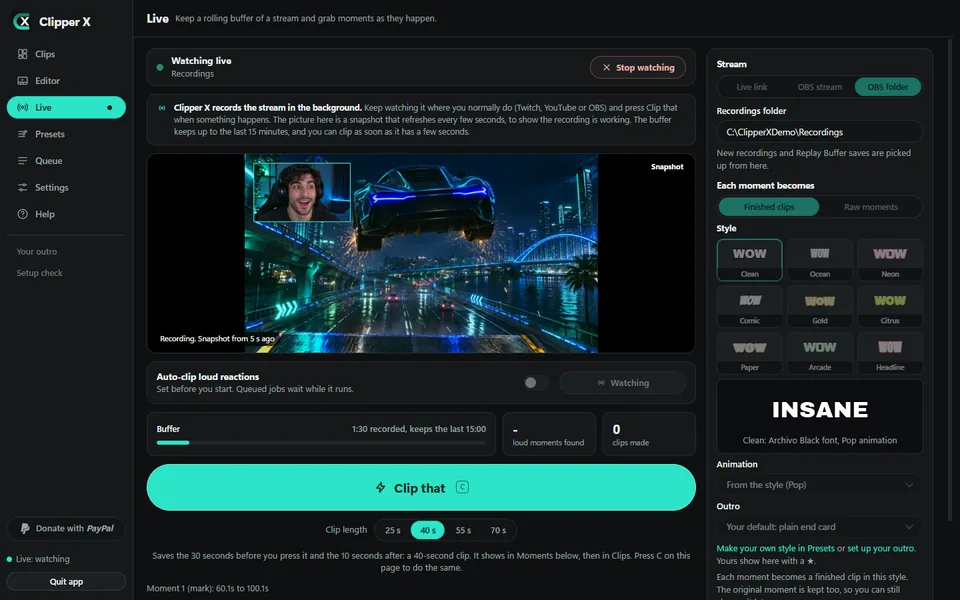
| Live streams | Its livestream page is about importing recordings from Twitch, StreamYard, Ecamm and Restream | Clips Twitch, YouTube and Kick live streams, or OBS, keeping the last 15 minutes. Press Clip that, or auto-clip loud reactions |
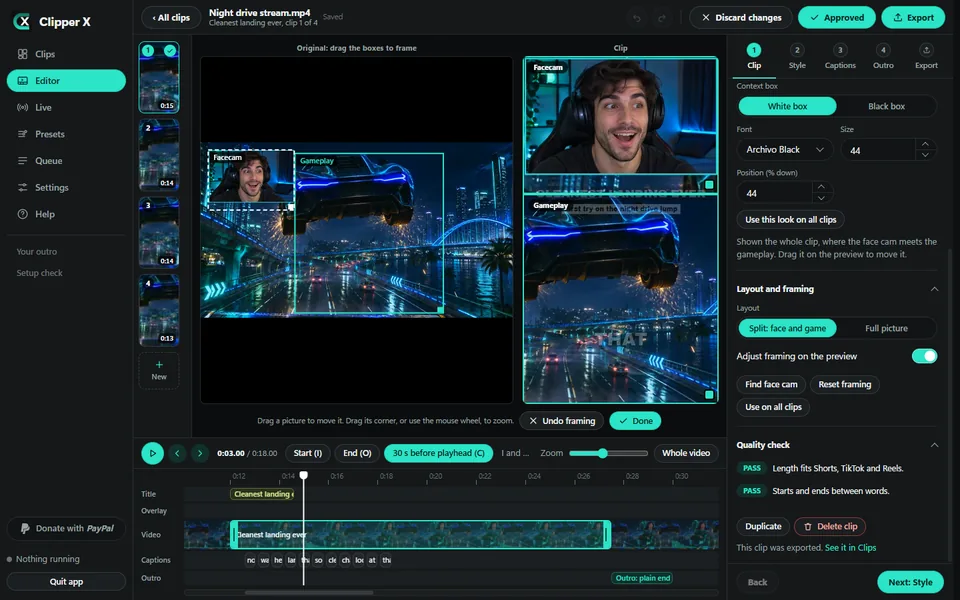
| Vertical framing | Automatic layouts that can switch during a clip | Split (face cam on top, gameplay below) or full picture, set by dragging boxes, then copied to every clip |
| Captions | AI captions with emojis and keyword highlights | Word-by-word captions made on your PC (English speech recognition), 5 animations, 8 fonts, 9 ready-made styles or your own |
| Posting | Post to social media from Starter; a scheduler from Pro | No posting or scheduling. You export an MP4 with a ready-to-paste post caption and upload it yourself |
| Teams | Team workspace on Pro and Business | One person, one PC |
| Internet | Needed for everything, including uploads | Needed for the license check when it starts and while it runs |
Where OpusClip is the better choice
Be honest with yourself about these, because for some people they settle it straight away.
- You use a Mac, a Chromebook or a work laptop you cannot install apps on. OpusClip runs in a browser. Clipper X needs a Windows PC.
- Your computer is old or slow. OpusClip's servers do the heavy work. Clipper X uses your own processor and graphics card, and listening to a whole long video or exporting many clips takes real effort from your PC.
- You want a virality score. OpusClip's paid plans rate each clip. Clipper X gives each clip a PASS, WARN or FAIL quality badge, but it does not try to predict views.
- You want clips posted and scheduled for you. OpusClip's Starter plan can post to YouTube Shorts, TikTok and Instagram, and Pro adds a scheduler and more networks. Clipper X does not post anything.
- You work in a team. OpusClip has shared workspaces. Clipper X is a single-user desktop app.
- Your content is podcasts, interviews or talking-head videos. OpusClip is built for all kinds of long videos. Clipper X is built around streams: face cam plus gameplay, loud reactions and live clipping.
Where Clipper X fits better
- Long streams without a minutes budget. The Clipper X pages describe no processing-minutes allowance. What a long stream costs you instead is your PC's time, heat and disk space.
- Clipping while the stream is live. In the Live page you paste a Twitch, YouTube or Kick link, or connect OBS. It keeps up to the last 15 minutes, so you press Clip that (or C) right after a moment and get 25, 40, 55 or 70 seconds. It can also auto-clip sudden loud reactions.
- Face cam and gameplay framing you control. You drag a Facecam box and a Gameplay box on the original picture once, then press Use on all clips. Our face cam and gameplay split screen guide explains good sizes.
- Captions you fix word by word. Captions are made on your PC, and you can click any word to change it, split it or merge it, or fix a repeated mistake with Find and Replace all. That matters for streamer names and game terms. See how to add captions to gaming clips.
- Your footage stays with you. The video work is done on your PC rather than on a server, and finished clips are saved to a clips folder on your PC.
- AI is optional. You can use the AI service you like to find moments, or none at all and let it pick the loudest parts.
What the difference means for a 6-hour stream
Clippers often work from long VODs, so it helps to run the numbers.
OpusClip's help centre lists 60 processing minutes per month on the Free plan. A 6-hour stream is 360 minutes of video, so a single stream is six times the free monthly amount, before you count any other streams. On a paid plan the maths changes, but you are still budgeting minutes and waiting for uploads.
Clipper X has the opposite trade-off. Its pages describe no minutes allowance, but your PC pays the cost. The site's own FAQ says downloading a 4-hour stream often takes 5 to 14 GB of disk space, and that the heavy parts are exporting and Suggest moments, which listens to the whole video. It suggests 8 GB of RAM or more (16 GB is better), a 4-core processor and at least 5 GB of free disk space. Any graphics card works, and an NVIDIA card makes exporting and captions faster. On a slower PC you can pick the Cool and quiet setting, clip moments you already know about, or clip the stream live instead.
If you already know roughly where the best moments are (from chat or the stream's own clips), you can skip the full scan altogether. Our guide to finding viral moments in a long stream shows how to shortlist them fast.
Who should pick which
| If this sounds like you | Pick |
|---|---|
| Mac user, or no Windows PC | OpusClip |
| You clip podcasts, interviews or webinars | OpusClip |
| You want a virality score, auto-posting and a scheduler, and you are happy to pay for them | OpusClip |
| A small team shares one account | OpusClip |
| You clip Twitch, Kick or YouTube gaming streams on a Windows PC | Clipper X |
| You want to grab moments while the stream is live | Clipper X |
| You process long VODs and the free minutes would run out on the first one | Clipper X |
| You would rather your footage never leaves your PC for processing | Clipper X |
Nothing stops you using both: OpusClip for a weekly podcast, Clipper X for a streamer you clip through a campaign. If you are clipping for money, our guide to how clipping campaigns pay explains what matters more than the tool.
Questions people ask
Is there a free OpusClip alternative for Windows?
Clipper X is a Windows 10 and 11 desktop app that is free during early access. You get a license key from the Clipper X Discord, valid for 30 days, and it needs an internet connection for its license check.
Does OpusClip have a free plan?
Yes. On 22 November 2026, OpusClip's help centre listed 60 processing minutes per month on the Free plan, and its watermark article says Free plan clips carry an OpusClip logo watermark. The pricing page says free media expires after 3 days.
Does Clipper X work on Mac?
No. Clipper X is a Windows app only. OpusClip runs in a web browser, so it is the better choice on a Mac.
Does Clipper X upload my videos to the cloud?
The video work happens on your own PC, and the site says your videos stay on your PC. The app does go online to check your license when it starts and while it runs.
Can Clipper X post clips to TikTok for me?
The Clipper X site does not list auto-posting or scheduling. It exports a 1080x1920 or 720x1280 MP4 with a ready-to-paste post caption, and you upload it yourself. OpusClip's paid plans include posting and scheduling.
Sources
Last checked 22 November 2026. OpusClip facts on this page come from these OpusClip pages:
- OpusClip pricing: plan prices, watermark, upload sizes, 3-day expiry on Free, virality score, posting, scheduler and team features.
- OpusClip help: plans: 60 processing minutes per month on the Free plan.
- OpusClip help: watermark: Free plan clips carry an OpusClip logo watermark.
- OpusClip for livestreamers: import sources for livestream recordings and layout switching.
OpusClip's pricing page and help centre describe the free allowance slightly differently (the help centre says minutes, other OpusClip pages say credits). If a figure here does not match what you see, trust OpusClip's current page. Clipper X facts come from the Clipper X home page and the Clipper X guide.
Keep reading
 A StreamLadder alternative for whole streamsStreamLadder starts from a short clip; Clipper X starts from the whole stream. Plans, limits and who each one suits.
 An Eklipse alternative for Twitch and Kick clippersEklipse dropped its free clipping tier in 2026. What it still does best, and when a Windows app makes more sense.
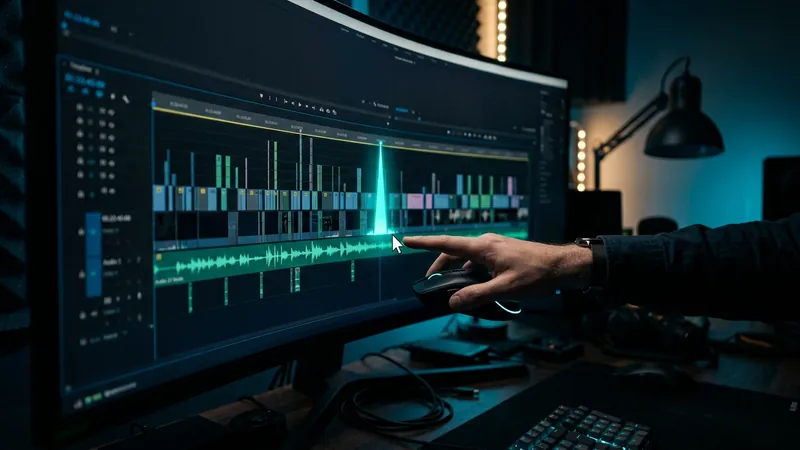 How to find viral moments in a long streamSkip the full rewatch: chat spikes, loud reactions, replay graphs and transcripts to shortlist clips that work for strangers.