
An Eklipse alternative for Twitch and Kick clippers
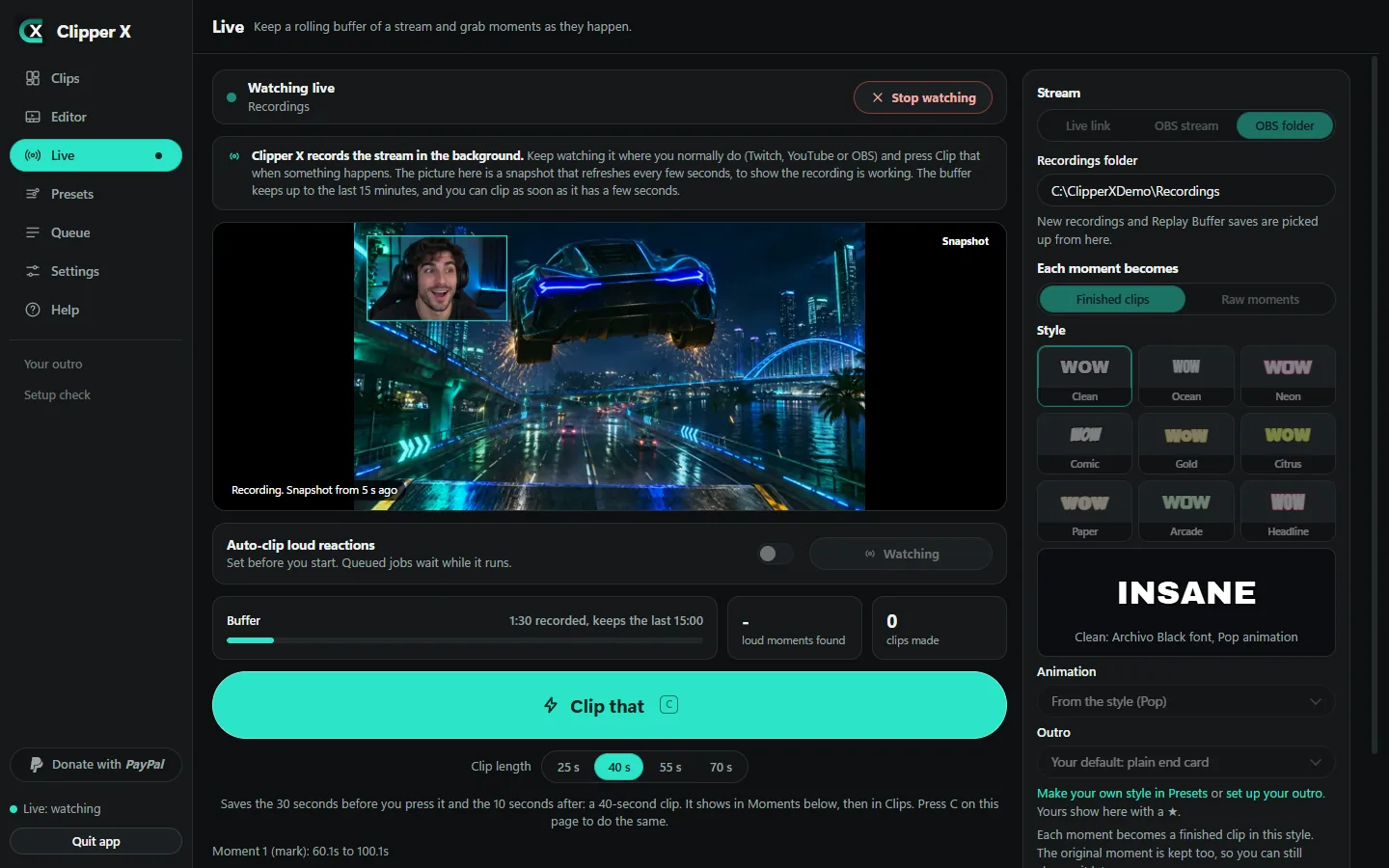
Eklipse no longer has a free clipping plan: its help centre says exporting clips needs Premium, which starts at $24.99 a month. Clipper X is an Eklipse alternative for Windows that is free during early access. It opens Twitch, Kick and YouTube streams or video files, finds moments, frames the face cam over gameplay and adds captions on your PC.
What changed at Eklipse
Many streamers knew Eklipse as a free AI clipper: connect your Twitch account, and highlights appeared after each stream. That is no longer how its free account works.
Eklipse's own help article Is Eklipse free?, updated on 30 August 2026, says creating an account is free, but "It is not a free plan, and there is no free clipping tier." A free account gets an AI scan of one recent stream so you can preview clips, and "producing and exporting your clips requires an Eklipse Premium subscription." Eklipse's blog says the change happened in June 2026, and that the old free tier (720p exports, up to 15 clips per stream and a watermark) is gone.
That is a fair business decision, and the paid product is still strong. But if you came to Eklipse because it cost nothing, you are probably looking for something else now. That is why this page exists. We make Clipper X, so weigh our view accordingly, and check the sources at the bottom.
Eklipse and Clipper X at a glance
| Eklipse | Clipper X | |
|---|---|---|
| Price | Premium from $24.99 a month; Premium Pro $39.99 a month. Account and a one-stream preview are free | Free during early access, with a 30-day license key from the Clipper X Discord |
| Where it runs | Web app, plus iPhone and Android apps | Windows 10 and 11 desktop app only |
| How streams get in | Connect your channel and turn on auto-processing; Eklipse imports your streams and makes highlights | Open a video file or paste a public YouTube, Twitch or Kick link, or watch a stream live |
| Streaming platforms | Twitch, Kick, YouTube Live and Facebook | YouTube, Twitch and Kick links; OBS for live clipping |
| How it finds moments | Scores moments using gameplay events, audio spikes and chat sentiment; supports over 3,000 games | Finds the funniest, loudest and most exciting moments, with the AI service you choose or no AI at all (then the loudest moments) |
| Live clipping | Listed under Premium Pro | Included: Twitch, YouTube and Kick live links or OBS, last 15 minutes kept |
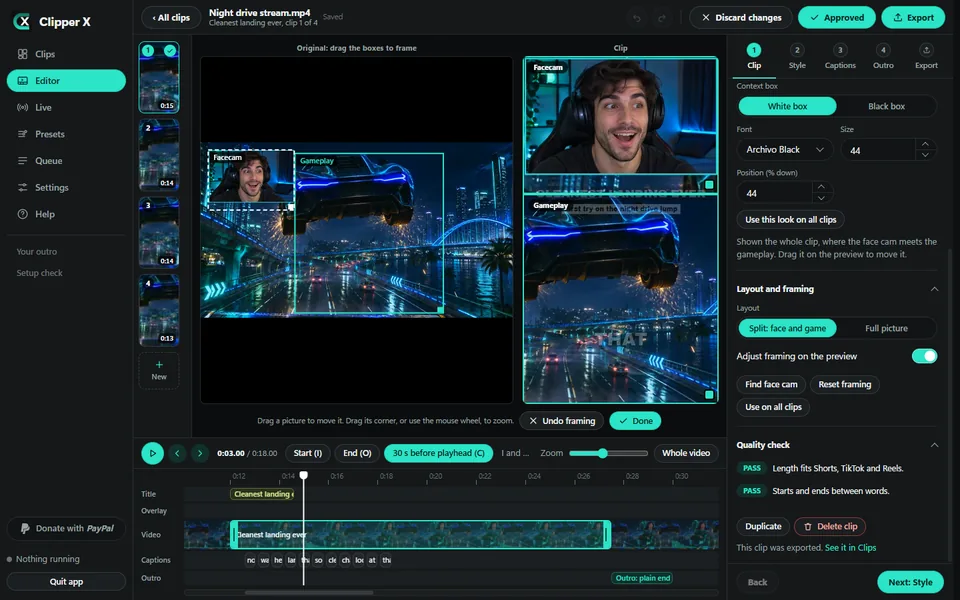
| Editing | Trim, captions, templates, AI Edit that reframes to 9:16 and adds memes | Side-by-side editor, trims that snap between words, split or full-picture framing, word-by-word captions, titles, up to 5 logos, outros |
| Posting | Content Publisher schedules and posts to TikTok, YouTube Shorts, Instagram Reels and Facebook | No posting. Export an MP4 with a ready-to-paste post caption |
| Storage | Clips kept 14 days on monthly plans, 90 days on annual plans | Clips are saved on your PC |
| Export quality | Premium lists 1080p 60fps; annual plans add 1080p lossless | 1080x1920 or 720x1280, at High, Standard or Small file size, with no watermark |
What Eklipse still does better
- It works while you sleep. Once your channel is connected and auto-processing is on, Eklipse imports your streams and makes highlights without you opening anything. Clipper X only works when you open a video or start Live.
- Gaming-trained detection with chat. Eklipse says its detection looks at gameplay events, audio spikes and chat sentiment, and supports more than 3,000 games. Clipper X's site describes finding the funniest, loudest and most exciting moments; it does not claim game-event detection.
- Posting built in. Eklipse can schedule and publish to TikTok, Shorts, Reels and Facebook. With Clipper X you upload clips yourself.
- Any device. A browser and phone apps, so Mac users and people without a gaming PC can use it. Clipper X needs Windows.
- No load on your PC. Eklipse processes streams on its side. With Clipper X, long VODs take disk space (the site says a 4-hour stream is often 5 to 14 GB) and exporting uses your processor and graphics card.
- Facebook streams. Eklipse lists Facebook as a supported platform. Clipper X does not.
A different way of working
The biggest difference is not a feature. It is who is in control of the process.
Eklipse is built for streamers clipping their own channel: connect once, and clips arrive. That is great when the channel is yours. It fits less well for clippers who work on other people's streams, for example through a clipping campaign, because you are not the account owner and you often clip several streamers in one week.
Clipper X is built around the clipper. You decide which stream to open, and you can switch between streamers freely. Three things follow from that:
- Live clipping as you watch. In Live, paste a public Twitch, YouTube or Kick link for a stream you own or have permission to clip. Clipper X records in the background and keeps up to the last 15 minutes. Press Clip that or C straight after a moment for a 25, 40, 55 or 70 second clip, or turn on Auto-clip loud reactions (it stops after 5 finished clips). You keep watching where you normally do.
- Your own recordings. Streamers can point Live at OBS, either by stream key or by a Recordings folder, or simply open a finished recording in MKV, MP4 or another common format.
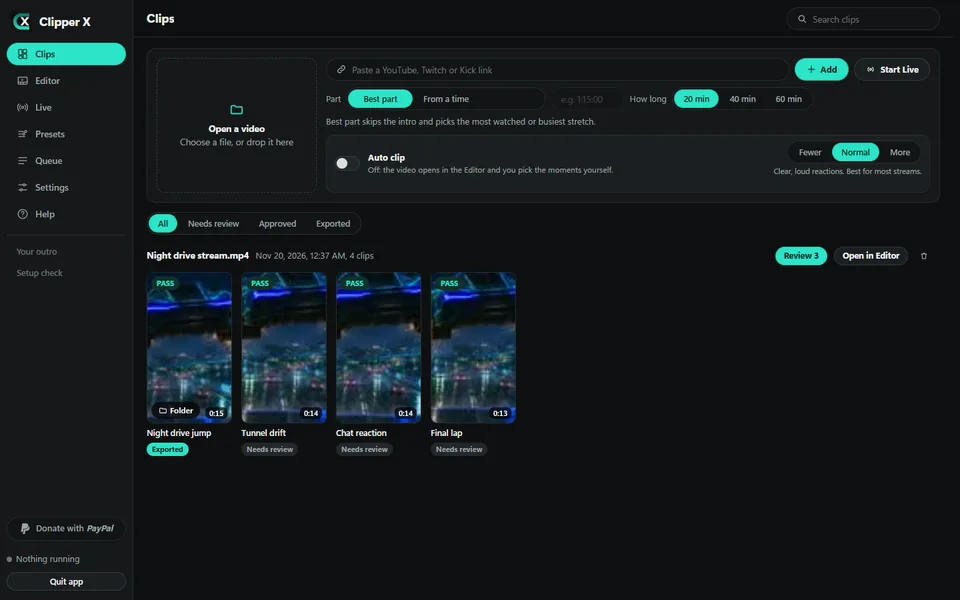
- Review fast, then batch. New clips play one after another in Review; A approves, X rejects. Set the face cam framing and caption style once and use them on every clip from that video, then Export all approved.
For platform-specific advice, see how to clip Kick streams and how to clip Twitch streams for TikTok. The Clipper X guide walks through every screen with real screenshots.
Five questions to decide
- Is your computer a Windows PC? If not, Clipper X is out, and Eklipse (or another web tool) is the answer.
- Are you clipping your own channel or someone else's? Your own channel, and you want clips without lifting a finger: Eklipse's automatic processing is hard to beat. Other people's streams, several streamers a week: Clipper X fits that work better.
- Do you need posting and scheduling in the same tool? Eklipse has it. Clipper X does not.
- Do you want to clip live without a top-tier plan? On Eklipse, live clipping is listed under Premium Pro. In Clipper X it is part of the app during early access.
- Is $24.99 a month a problem right now? If you are just starting out and have not earned anything from clipping yet, a tool that is free during early access lets you learn first. Our guide to making money clipping is honest about how long that can take.
One rule applies to both tools: only clip streams you own or have permission to clip. A public stream is not a licence to repost it. Clipping without copyright strikes covers the details.
FAQ
Is Eklipse still free?
Creating an Eklipse account is free, but Eklipse's help centre (updated 30 August 2026) says there is no free clipping tier and that producing and exporting clips requires a Premium subscription. Free accounts get an AI scan of one recent stream to preview clips.
How much does Eklipse cost?
On 22 November 2026 Eklipse's pricing page said Premium starts at $24.99 a month and Premium Pro is $39.99 a month. Live clipping is listed under Premium Pro.
Does Clipper X clip my streams automatically after I go offline?
No. Clipper X does not connect to your channel. You open a recording or paste a VOD link, or watch the stream live in the Live page. Eklipse can import and process your streams automatically once your account is connected.
Can Clipper X clip Kick and Twitch streams live?
Yes. The Live page takes a Twitch, YouTube or Kick live link, or an OBS stream or recordings folder, and keeps up to the last 15 minutes. Press Clip that or C after a moment, or turn on Auto-clip loud reactions.
Is Clipper X available on phones or Mac?
No. Clipper X is a Windows 10 and 11 desktop app. Eklipse runs in a browser and has iPhone and Android apps.
Sources
Last checked 22 November 2026. Eklipse facts on this page come from Eklipse's own pages:
- Eklipse help: Is Eklipse free? (updated 30 August 2026): no free clipping tier, one-stream preview, exports need Premium.
- Eklipse pricing: Premium and Premium Pro prices, Live Clipping under Premium Pro, storage days, detection method, platforms, games, publishing and apps.
- Eklipse help: connect your stream: connecting your channel and auto-processing.
- Eklipse blog: Is Eklipse free? (modified 18 July 2026): the June 2026 change and the old free-tier limits.
Eklipse's pricing page does not list annual prices or Premium's export limits in full, so check it before you subscribe. Clipper X facts come from the home page and the guide.
Keep reading
 An OpusClip alternative for stream clippersCloud credits or your own PC? Where OpusClip wins, where Clipper X fits, and the maths for a 6-hour stream.
 A StreamLadder alternative for whole streamsStreamLadder starts from a short clip; Clipper X starts from the whole stream. Plans, limits and who each one suits.
 How to clip Twitch streams for TikTokPermission, saving the footage, finding the moment, 9:16 framing, captions and posting with credit.